MFSAppsControl
Description
MFSAppsControl is an application that starts and/or stops third-party applications by monitoring the state of Microsoft Flight Simulator 2024/2020.
No more launching your applications one by one before every flight: set them up once, and MFSAppsControl takes care of everything.
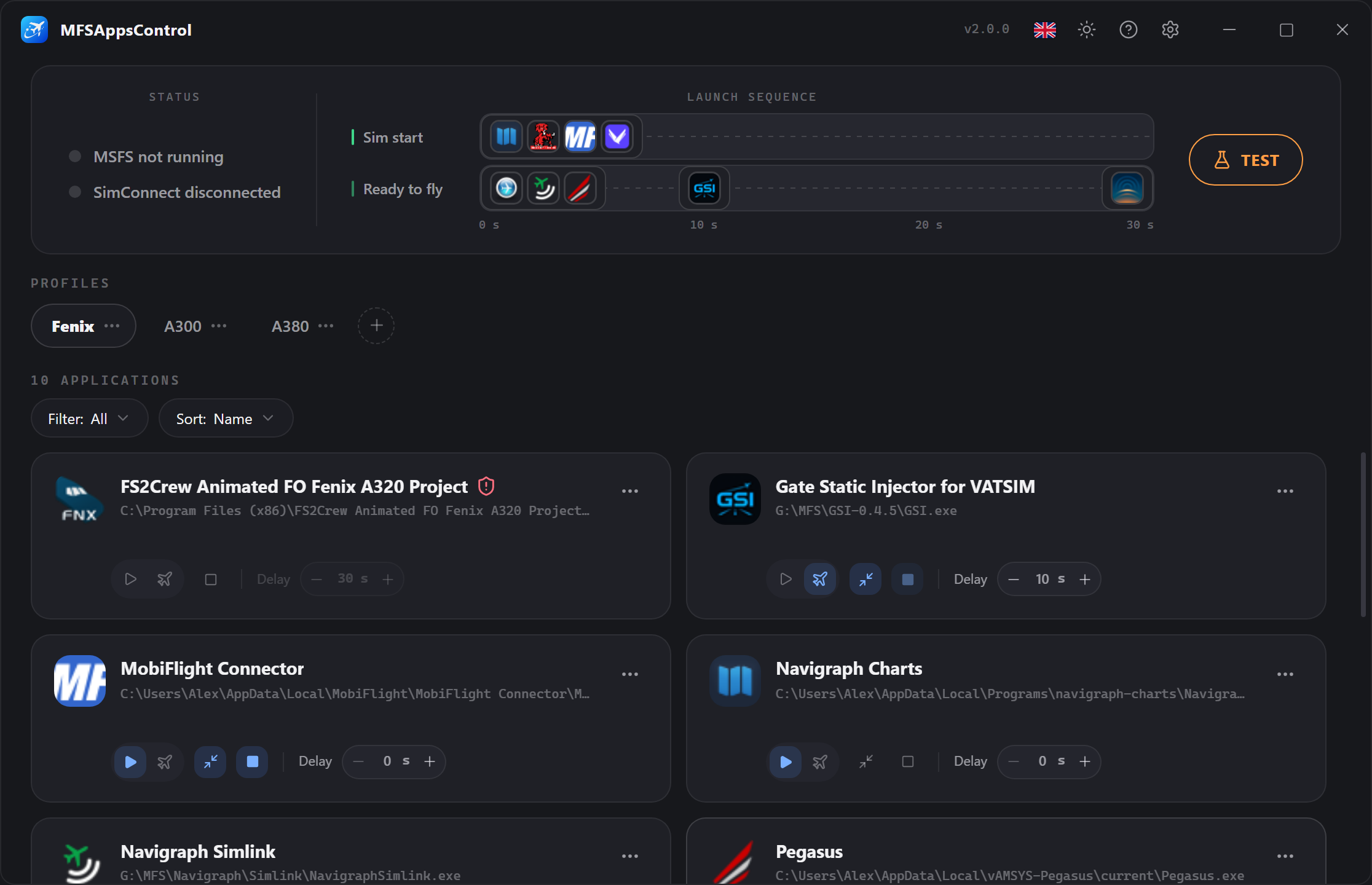
How it works
MFSAppsControl follows your flight from end to end, in three stages:
Simulator launch
Applications set to Sim start launch as soon as the simulator starts, following their defined delay.
The "Ready to fly" screen
Applications set to Ready to fly launch as soon as the \"Ready to fly\" button appears, following their defined delay.
Simulator shutdown
Applications set to Auto stop close cleanly when the simulator quits.
The difference between the two start types is at the heart of the application:
Some applications can:
- Be started as soon as the simulator starts (e.g. Navigraph, Volanta…)
- Have constraints, or only be useful during a flight (e.g. REX Atmos, FS2Crew…)
You choose whichever suits the application best. → Applications & sequence
Features
-
Automatic sequence
Each application starts on its trigger after its defined delay, shown directly on the timeline so you can follow the launch order. -
Profiles
Group your applications by use case (A320, VFR, cargo…) and switch with one click. The profile shown is the active one. -
Unobtrusive
Can be minimized to the notification area and launched with Windows, so it is ready at any time for your next flights without a second thought. -
Fully multilingual interface
Fully translated into French, English, German, Spanish, Italian and Portuguese, with live switching and persistence in the configuration. -
Administrator applications
Detected automatically when added, with a Windows prompt. Only the applications that require administrator privileges will use administrator mode. -
Test mode
Play the whole sequence (including the "ready to fly" trigger) without launching the simulator, to check your profiles.
Where to start?
- Installation — download and install the application.
- Getting started — set up your first sequence.
- Applications & sequence — the details of every part of the application.
- Profiles and Options — manage your profiles and settings.
- FAQ — the most frequently asked questions.
- Support — when you need help.