Options
Open the options with the gear icon in the title bar, or from the menu on the notification area icon.
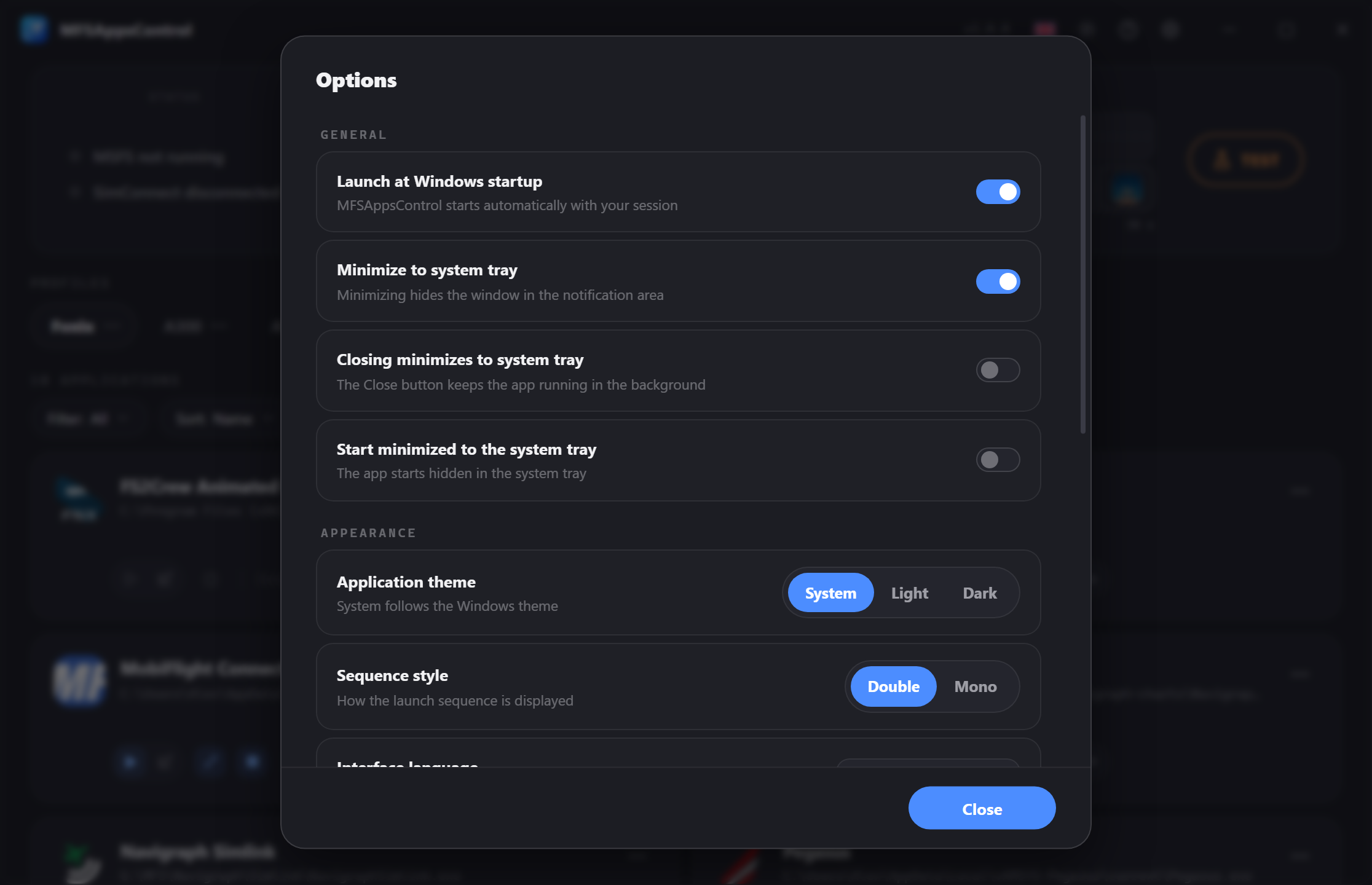
Every setting is saved immediately — there is no "Apply" button.
General
| Option | Effect |
|---|---|
| Launch at Windows startup | Starts automatically with your Windows session. |
| Minimize to system tray | Minimizes the window to the notification area (tray) instead of keeping it in the taskbar. |
| Closing minimizes to system tray | Closing hides the window in the notification area (tray) instead of quitting. |
| Start minimized to the system tray | Starts straight into the tray, with the window hidden. |
How do you really quit the app when closing minimizes to the notification area?
If Closing minimizes to system tray is enabled, the cross no longer closes the application.
Use Quit in the menu on the notification area icon (right-click).
Appearance
Application theme
System (follows the Windows style), Light or Dark.
The / button in the title bar is also a quick way to switch the theme.
Sequence style
Chooses how the sequence is shown:
- Double — two independent tracks, each showing one sequence.
- Mono — a single track split in the middle, one part per sequence.
Interface language
Fully translated into: French, English, German, Spanish, Italian and Portuguese.
Applied immediately, with no restart needed, and saved in the configuration.
Also available from the title bar, with the flag of the current language.
Info
Set automatically from the Windows language on first launch, and can be changed at any time.
Updates
- Automatically check for updates — turns on the automatic daily check.
- Check now — runs an immediate check. The result appears under the label (up to date / new version available).
Info
When an update is available, a badge appears in the title bar; clicking it starts the download and the installation.
Debugging
Log level
Sets how much detail is written to the log files. The change applies immediately, without restarting the application.
| Level | Contents | When to use it |
|---|---|---|
| Error (default) | Errors and warnings only. | For everyday use. |
| Debug | + the flow of operations (detections, launches, stops…). | When support asks |
| Trace | + internal values in detail. Very heavy. | When support asks. |
A new file is created every day, and logs older than 7 days are deleted automatically.
Tip
Remember to set the level back to Error once you have reported your problem: the Debug and Trace levels are very heavy.
Export
Creates a zip file containing all your logs and your configuration, everything support needs.
Reset the application
Erases all your profiles and settings and starts over as on a fresh install.
An explicit confirmation is required.
This can't be undone
Nothing can be recovered after a reset.
About
Shows the application details and quick links to Discord/Flightsim.to.